I’m going to start creating ‘permalinks’ for each of my Obsidian notes using the ^block syntax.
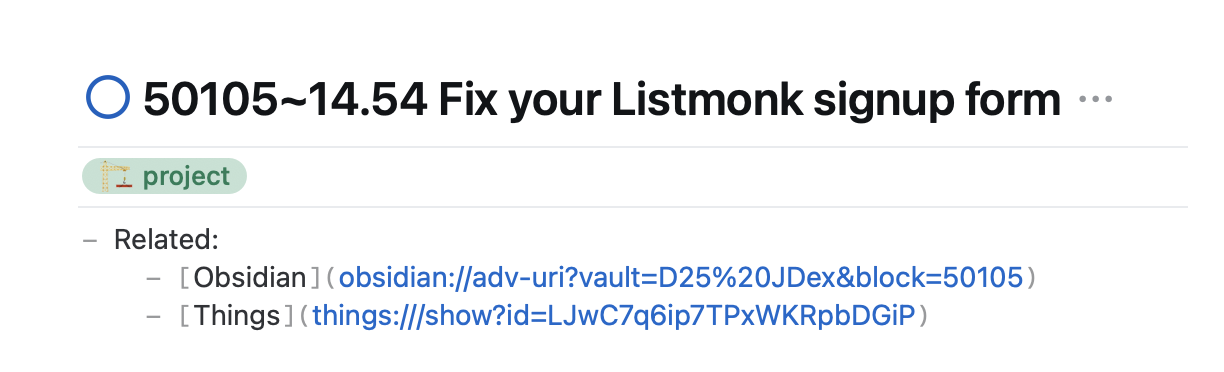
I link to my notes prolifically _from outside Obsidian_. My primary use-case is Things, where every project has this block at the top (mirrored in the Obsidian note).¹
[Screenshot 1]
If that Obsidian URL is the traditional format, where you link to the title of the note, it’s very fragile. My note titles are fluid; I shouldn’t be afraid to change them.
So I use the Advanced URI plugin which allows you to link to a ^block, and at the top of every note I create a permalink using the ID of the note.
[Screenshot 2]
Note that right-clicking on the block and selecting ‘Copy URI for current block’ gives you a longer URI which contains the note’s title. If you’re strict about making your block identifiers unique – easy when they mirror the ID of the note they’re in – you can remove that part of the URI, leaving it much neater.
obsidian://adv-uri?vault=D25+JDex&block=50105
– because now I can leave that URI string in the templates for both Obsidian notes and Things projects, and all I need to do each time is change the last couple of digits of that block ID. So this only takes a few seconds and is low-friction.
—
Update: turned this into a blog post. https://johnnydecimal.com/20-29-communication/22-blog/22.00.0173-obsidian-links-redux/
—
¹Yes, Things links to itself, as does Obsidian when I copy it over. But now this block of links is copy/pastable anywhere as it’s complete.
This is why I use Markdown bullets and not Obsidian’s properties: I prefer that my frontmatter be human-readable, and copy/pastable to other Markdown-compatible apps. I don’t need to query it or use Bases.
deleted by creator